
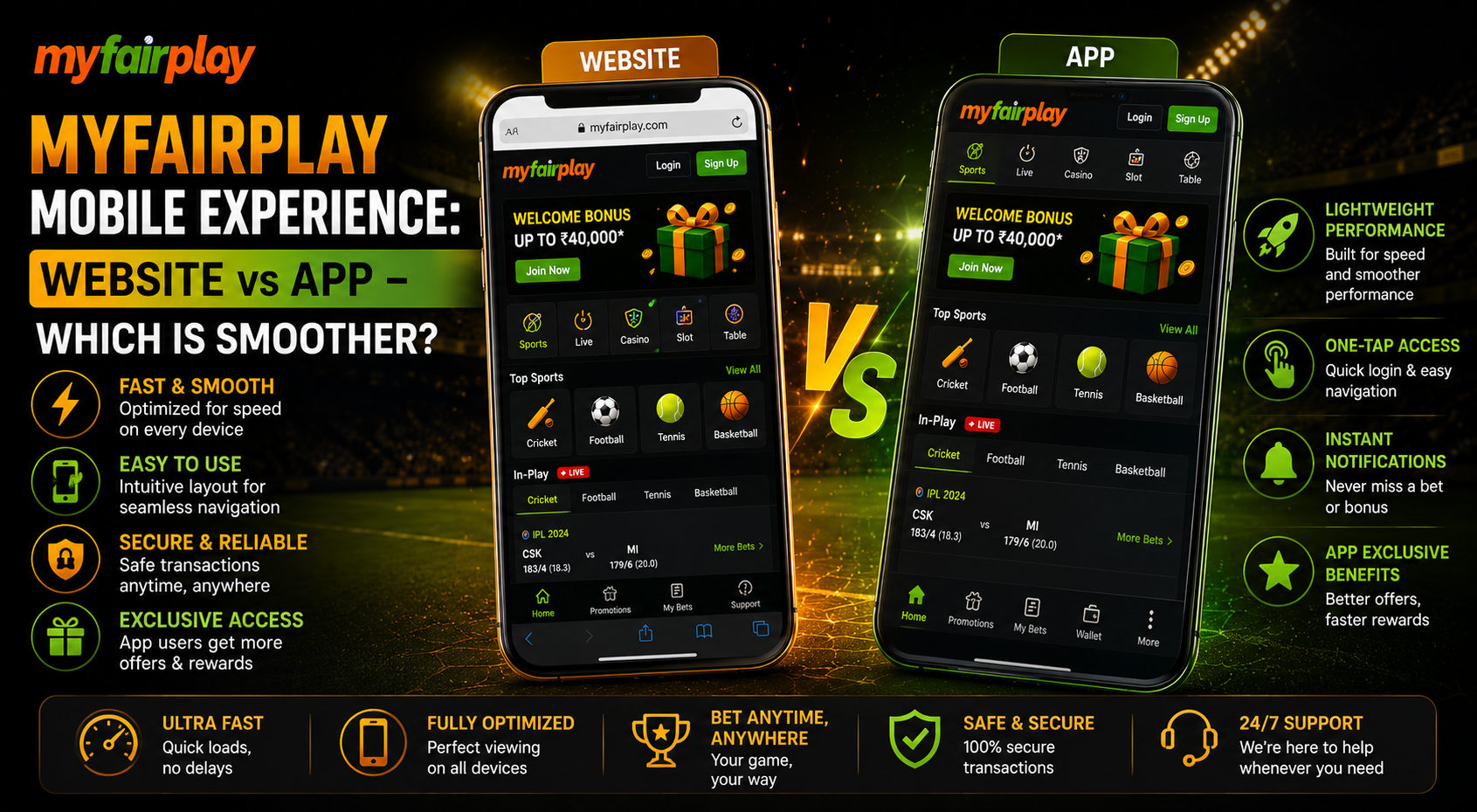
Most people check scores, odds and live updates on a phone, not a laptop. So the myfairplay mobile experience matters a lot. A slow page, a stuck button or a screen that does not fit can ruin a live match moment. Many users ask the same thing: should the site be opened in a browser, or should an app be installed? Both ways can work, but they feel different on different phones. Storage space, internet speed and phone age all change the result. This guide explains the difference in simple words. It covers speed, ease of use, data use, safety and a quick test that can be done at home in ten minutes. By the end, it will be clear which option suits your phone and your habits better.
Myfairplay App vs Website Difference
A browser doesn’t need to be downloaded, but for an app it takes space but loads quickly. Here is a basic comparison of myfairplay app vs website to get started.
| Point | Mobile Website | App |
| Download needed | No | Yes |
| Storage used | Very little | More |
| Opening speed | Depends on the browser | Can be quicker after install |
| Updates | Automatic | May need manual update |
| Works on old phones | Usually yes | Depends on the phone |
Understanding MyFairPlay Mobile Experience
myfairplay mobile experience simply means how easy and fast things feel on a small screen. It includes how quickly a page loads, how clear the text looks and how easily a thumb can tap buttons. Myfairplay mobile experience has no hanging screen and smooth experience.
What Makes a Mobile Platform Smooth
Four things decide smooth ness on any phone:
- Fast loading of pages and live scores
- Buttons big enough to tap without mistakes
- Clean menus that are easy to find
- Low data and battery use
MyFairPlay Mobile Site: Browser Experience
The myfairplay mobile site opens in Chrome, Safari or any other browser. Nothing needs to be installed, which is a big plus for people with small storage.
Mobile Site Speed and Smoothness
Browser experience on mobile depend on the internet. On 4G or Wi-Fi, pages usually load fine. On weak signals, images and live sections may take more time. Clearing browser cache once in a while helps pages stay quick.
Good Points of the Browser Version
- No download and no storage worry
- Always shows the latest version
- Works on most phones, new or old
- Easy to switch between phones
Weak Points of the Browser Version
- Browser tabs eat phone memory
- Slow internet affects it more
- No qu0ick home screen icon unless added as a shortcut
App Experience on Android
Many Indian users run Android phones, so this part matters. An installed app sits on the home screen and opens in one tap.
Smooth Experience on Android
The android experience depends on the phone’s RAM, free storage and Android version. A phone with less than 2 GB free space can feel slow. Keeping the Android system updated also helps apps run without hanging.
Using the App
The myfairplay app can feel quicker for repeat visits because core parts are stored on the phone. Menus may open faster than in a browser. Still, only download apps from the official site and never from random links shared on social media for myfairplay mobile experience to be safe .
MyFairPlay Mobile App Experience: Pros and Cons
The myfairplay mobile app experience has clear good and bad sides:
| Pros | Cons |
| One tap from home screen | Needs storage space |
| Can feel faster on repeat use | Updates must be installed |
| Cleaner full-screen view | Risk of fake apps if downloaded wrongly |
Speed Test: How to Compare Both
Instead of guessing, a simple test can show which is easy to use on phone .
Ten Minute Phone Test
- Close all other apps and tabs.
- Open the site in the browser and note how long the home page takes.
- Open a live match page and scroll up and down.
- Repeat the same steps in the app.
- Check which one hangs less and uses less battery.
What to Note During the Test
- Time taken to open the first page
- Any freezing while scrolling
- Battery drop after ten minutes
- Data used, which can be seen in phone settings
MyFairPlay on Phone Compatibility
Phone compatibility is about whether the platform works well on your device. Most modern phones handle both options. Trouble usually shows up on older models.
MyFairPlay on Phone with Low RAM
Phones with 2 GB RAM or less may struggle with heavy apps. In that case, the browser version with fewer tabs open is often the safer pick.
Screen Size and Fit
Small screens can make tables and odds hard to read. Turning the phone sideways sometimes gives a better view of wide tables.
MyFairPlay Website on Mobile: Tips
Using the myfairplay website on mobile gets easier with a few small habits:
- Add the page as a home screen shortcut
- Keep the browser updated
- Use one tab at a time
- Turn on data saver mode if the signal is weak
Data Use and Battery
Live pages use data, and video or fast refreshing uses more. Both options can be heavy during long matches. Wi-Fi is the better choice when watching for hours. A battery saver mode can stretch phone life, though it may slow refreshing.
| Habit | Effect |
| Wi-Fi over mobile data | Saves data pack |
| Low brightness | Saves battery |
| Closing background apps | Smoother performance |
Safety on Mobile
Even if mobile loading speed is fast Mobile safety is as important.
Simple Safety Steps
- Never share passwords or OTP with anyone
- Keep screen lock on
- Avoid public Wi-Fi when logging in
Other Platforms and Comparisons
A fair way to compare any platform, such as fairplay pro or other popular names, is to run the same ten minute test on each and check speed, ease and safety side by side. Reviews are helpful, but your own phone gives the truest answer.
Legal and Responsible Use
Rules for online money games in India have changed, and they differ by state. A national law on online gaming was passed in 2025, so reading the current rules before playing is wise. Only people aged 18 or above should use such platforms. Set a limit, never chase losses and stop if it stops being fun for myfairplay mobile experience .
Which One Should You Pick
Pick the browser if storage is low, the phone is old or you switch devices often. Pick the app if the phone is new, storage is free and repeat visits are daily. Many people try both for a week and then stay with the smoother one.
Conclusion
Both the website and the app can give a good ride on a phone. The browser suits low storage and older phones, while the app suits newer phones and daily use. The best way to decide on a myfairplay mobile experience is safe is to run the ten minute test and see which feels smoother. Stay safe, use only official sources myfairplay.ing and play within your limits. Ready to see the difference? Open the platform on your phone today, test both ways and pick the one that feels right for you.
Related Posts:
- MyFairPlay Interface Review: Is It Really Beginner-Friendly?
- MyFairPlay vs Competitors: Why Users Are Switching in 2026
- MyFairPlay Supported Sports List: Beyond Cricket—Football, Tennis & More
FAQs
Is the app faster than the website?
It can be on phones but the speed depends on the phone and internet.
Does the mobile site need a download?
No, it opens directly in any phone browser.
Will it work on Android phones?
The browser version usually works better on phones.
Does the app use data?
Both use data during pages so Wi-Fi helps save the pack.
How can a fake app be avoided?
Download from the official site and never from forwarded links.
Can a shortcut be added to the home screen?
Yes the browser menu has an add to home screen option.
Is it safe to log in on Wi-Fi for fast myfairplay mobile experience ?
It is better to avoid it and use a network.