
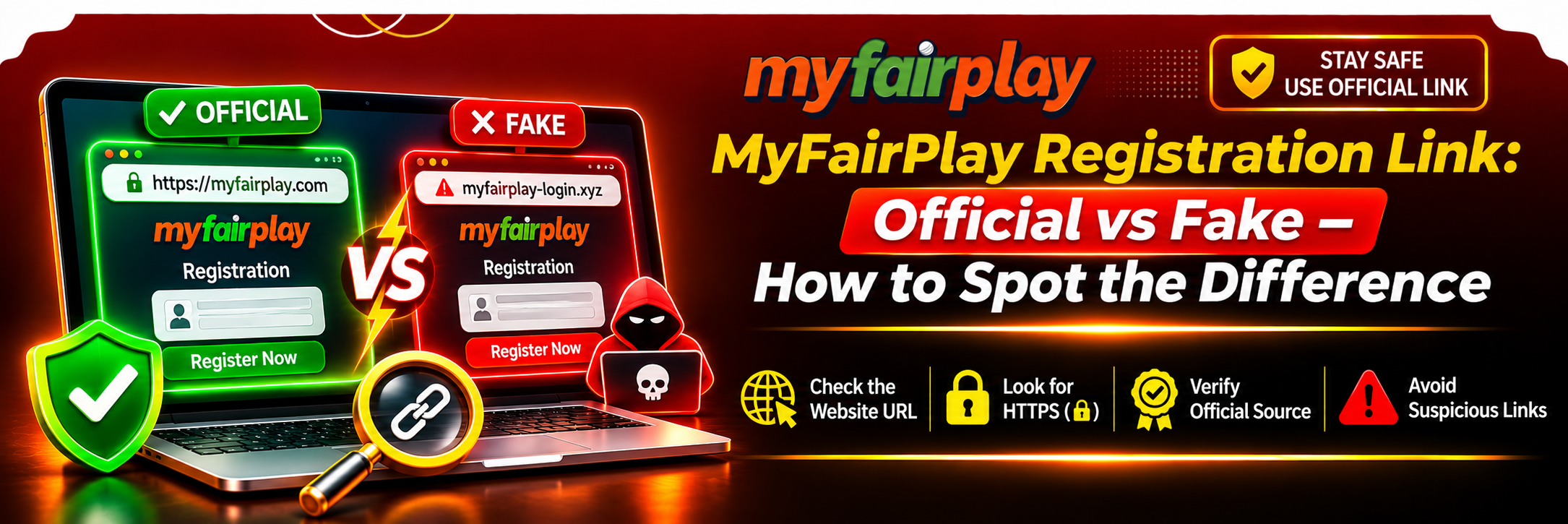
You Google something like “MyFairPlay registration” and suddenly you’ve got ten different pages all shouting at you. Same colours. Same logo-looking thing. Same big REGISTER button. And you’re sitting there thinking, okay, which one of these is actually real?
That confusion is exactly where the problem starts. Because not every page that looks like MyFairPlay actually is MyFairPlay. Some of them are just copies. Good copies, too. Good enough to fool you if you’re in a hurry.
And once you type your name, your number, your password into the wrong one, you can’t untake that back. That’s why it’s worth slowing down for two minutes before you sign up anywhere.
This is about how to tell a real MyFairPlay Registration link from a fake one, without needing to be some tech expert.
What Is the Official MyFairPlay Registration Link?
In simple words, an official registration link is just the signup page that the actual platform itself has put out. Not a random agent. Not a fan page. Not some guy on Telegram who says “bro, use my link.”
A genuine page should feel… connected. Like you can actually tell who runs it. It should have proper terms, a privacy policy that actually says something, and support details that don’t just vanish when you click them.
But here’s the tricky part — a lot of fake pages have all that too, just copied. A familiar domain or a shiny register button doesn’t prove anything on its own.
So before you trust any link, just ask yourself these quick things:
- Did I get this from a source I’ve checked myself, not just a forwarded message?
- Can I actually see who the operator is? Or is it all vague?
- Are the terms and privacy pages there, and do they make sense?
- Do the contact details match everywhere, or do they change from page to page?
- Does it actually use HTTPS, no scary browser warning?
- Is it only asking for what it needs to create an account, and does it explain why?
Important: I’m not going to hand you a “this is the official link” here, because that’s exactly how people get tricked. Don’t treat an address from a random ad, a YouTube comment, or a social media post as official unless you’ve checked it yourself, independently.
Official vs Fake Registration Link: Key Differences
Fake pages are really good at dressing up. Same colours, same layout, same form. If you just glance at it, you’ll think, yep, this is it.
You have to look a little closer. Here’s how they usually differ:
Verification Point
More Trustworthy Signs
Warning Signs
Domain name
Matches a verified platform source, clean and consistent
Misspellings, extra words, weird numbers, strange extensions
HTTPS connection
Secure, no warnings, valid certificate
Browser shouting about unsafe, certificate errors
Website information
Clear operator, terms, privacy details you can actually read
Missing, half-finished, or contradictory info
Contact details
Consistent, and you can verify them elsewhere
Only some anonymous WhatsApp number, no real channel
Registration form
Asks for relevant stuff, explains why
Asks for way too much sensitive info for no reason
Payment requests
Clear terms, proper payment info
Pressure to send money to a personal UPI or account
Website behaviour
Pages work, navigation works, nothing weird
Redirects everywhere, pop-ups, forced downloads
One thing to remember — no single sign proves it’s real. HTTPS, for example, just means the connection is encrypted. Even scammers can get HTTPS these days. It doesn’t mean the person behind the site is legit.
How to Identify a Fake Registration Link
Don’t just dive in and start filling the form. Take 30 seconds. Look around. Fake pages almost always leave clues.
1. Check the Domain Name Carefully
This is the first thing. Always.
Fake sites love to play games with the name. A letter swapped here, an extra word there. It looks right if you’re scrolling fast.
A suspicious page might:
- Add random numbers to a familiar name, like myfairplay123 or myfairplay99
- Stick extra words on it to sound official, like myfairplay-official-new
- Swap letters that look similar, like using a 0 instead of an O
- Use a domain that has nothing to do with the platform’s real channels
Just because the brand name is in the domain doesn’t mean it’s the real one. That’s the oldest trick.
2. Look for a Secure HTTPS Connection
Yeah, check the address bar. It should say HTTPS, not just HTTP. If your browser is showing a warning or saying “not secure,” stop. Don’t type anything.
But also — and I know I keep saying this — HTTPS alone isn’t enough. It’s like a locked door on a fake shop. The door locks, sure, but the shop inside is still fake.
3. Examine the Website’s Content
Fake pages are often sloppy if you actually read them.
Look for:
- Brand name spelled wrong in places
- Registration instructions that don’t quite make sense
- No privacy policy, or one that’s just two lines copied from somewhere
- Terms that are vague or missing
- Menus that don’t work, links that go nowhere
- Different phone numbers or emails on different pages
A pretty design means nothing. I’ve seen fake pages that look better than real ones. Read the words behind the design.
4. Watch Out for Unnecessary Personal Information Requests
A real signup form should make sense. It asks for what it needs to make your account, and it should be clear why.
Get suspicious fast if a page asks for stuff like:
- Your banking password. Never. No legit signup needs that.
- Your email password. Nope.
- Your UPI PIN.
- Your ATM PIN or CVV.
- An OTP for a reason that isn’t clearly explained.
And never, ever give your OTP or password to a person who says they’ll “help you register.” That’s not help. That’s theft.
5. Avoid Suspicious Redirects
You click Register, and suddenly you’re on a completely different website. Then another one. Then an ad pops up. Then it wants you to download something.
Stop. Right there.
If clicking a button takes you to an unrelated domain, or starts a download you didn’t ask for, don’t enter anything. Close it. That redirect is the warning.
6. Be Careful With Urgent Signup Messages
Scammers love urgency because urgency makes you stop thinking.
“Register immediately!”
“Limited-time guaranteed reward!”
“Your account will expire today!”
If a page is pressuring you like that, and you got there from a random link, that’s a double red flag. Real platforms don’t need to panic you into signing up. Take your time. Verify first.
How to Verify the Official Website Before Signup
If you’re not sure, don’t guess. Run through this little check. It takes two minutes and it saves a lot of mess later.
Step 1: Start With a Trusted Source
Don’t rely on a search ad, a forwarded WhatsApp message, or a random reel. Those are the easiest places to plant a fake link.
Look for an address from a source you can actually trace back to the platform, and that you’ve checked yourself.
Step 2: Compare the Domain
Does the registration page use the same domain as the verified website? Or is it a close-but-not-quite version?
Check spelling. Check extra characters. Check the extension — .com, .in, .net, all of that. Check for weird subdomains. One letter off is enough to make it fake.
Step 3: Review Website Information
Open the About, Contact, Privacy Policy, and Terms pages, if they’re there.
Does it actually say who runs it? Does it say how your info will be handled? Or is it all copy-paste fluff with no real details?
Step 4: Check the Browser’s Security Information
Make sure it’s HTTPS. Make sure your browser isn’t showing a certificate warning.
Again, this is just one piece. It helps, but it doesn’t prove it’s real on its own.
Step 5: Confirm the Registration Destination
Before you hit submit, look at where you actually are. Look at the address bar again.
If the form is suddenly sending you to an unrelated site, or asking you to download some unknown app to finish, don’t proceed. Not without checking it properly first.
Step 6: Contact Verified Support if Necessary
If you genuinely can’t tell, ask the platform through a contact channel you’ve verified yourself.
Don’t use the support number that’s only shown on the suspicious page itself. That’s like asking the scammer if he’s a scammer. He’ll say no.
How to Avoid Fake Signup Links
A few habits make this a lot easier, and honestly, they work for everything, not just this.
Use verified bookmarks: Once you’ve checked a site properly and you’re confident it’s real, bookmark it. Then just use the bookmark. Stop Googling it every time and clicking whatever comes up first.
Avoid unknown APK downloads: myfairplay sign up page should not force you to install some random app just to see the form. If it does, walk away.
Do not trust copied branding: Logos, screenshots, colours — all of that can be copied in five minutes. Check the domain and the operator info, not the pretty pictures.
Keep your browser updated: Updated browsers are better at warning you about known bad sites. It’s a small thing, but it helps.
Never share OTPs: Your verification code is yours. Don’t send it to anyone who says they’ll complete registration for you. No one legit needs it that way.
Avoid suspicious payment requests: Don’t send money to a personal account or a random UPI ID because a registration page told you to. Real payment flows don’t work like that.
Check applicable laws: Before you register with any real-money gaming or betting service, make sure it’s actually legal where you live, and that you meet the age requirements. That part is on you, and it matters.
What Should You Do If You Have Already Used a Fake Registration Link?
Okay, so maybe you already did it. You typed stuff in, and now you’re reading this thinking, oh no. Don’t panic, but do act fast.
1. Stop Using the Website
Close it. Don’t type anything else into it. Don’t try to “delete” your account there, don’t chat with their “support.” Just close it.
2. Change Your Password
If you used that same password anywhere else — email, bank, other apps — change it right now, on the real sites, not through any link from that fake page.
And use a different, unique password for each important account from now on. I know it’s a pain. It’s still worth it.
3. Secure Your Email and Phone
If you shared login details or verification info, go secure your email and your phone account first. Those are the keys to everything else. Turn on extra security where you can, like 2-step verification.
4. Contact Your Bank if Financial Information Was Exposed
If you shared banking details, card info, UPI PIN, anything like that, call your bank immediately. Use the number on your card or the bank’s official app, not a number from the fake site.
If you think there’s been unauthorised activity in India, report it quickly through the official cybercrime reporting system or call the national cybercrime helpline at 1930. Don’t wait to “see if anything happens.”
5. Report the Suspicious Website
Report it through your browser’s security reporting, or through the official cybercrime channels.
Keep screenshots, the website address, any messages you got, and any transaction details. You’ll need them if you report it, and it helps stop someone else falling for the same page.
Why Is It Important to Use the Correct Registration Page?
Because the wrong page isn’t just “the wrong page.” It’s a trap that’s built to look right.
A fake signup page might try to:
- Steal your login credentials.
- Get your OTPs or verification codes.
- Collect your personal information.
- Send you off to unrelated services.
- Push you to download unsafe stuff.
- Get you to send money to the wrong person.
Checking a site before you register takes, what, a minute or two? Dealing with a stolen account or a bank issue takes days, sometimes weeks. That little check is worth it.
FAQs
What is the official MyFairPlay registration link?
It’s the signup address that’s actually authorised by the real platform operator. You have to confirm it through a source you’ve independently verified as belonging to that operator. This article doesn’t confirm one specific live URL, because live URLs change and fakes copy them fast.
Is the registration link safe to use?
Only use a link after you’ve checked that it actually connects to the genuine platform. HTTPS alone doesn’t make it safe. It just means the connection is encrypted.
How can I verify the official website before signup?
Start with a source you trust and have verified yourself. Compare the domain. Read the operator and privacy info. Check the browser security. And confirm the final registration destination before you type anything.
Where can I find the real registration link?
Look for it through a platform source whose ownership you can independently confirm. Don’t rely on random ads, forwarded messages, or third-party download pages. Those are where most fakes live.
Should I share my OTP during registration?
Only type a verification code into a verification process you’ve confirmed yourself is real. Never share an OTP with another person, even if they say they’re customer support. Especially then.
Is a new ID link different from a regular registration link?
People use the terms interchangeably, and they usually mean the same thing — an account-creation page. But the label doesn’t make it real. A “new ID link” from a random source is just as risky as any other link. Always verify the destination domain before you submit anything.
Conclusion
Finding a registration page is easy. Finding the right one takes a little more attention. Similar branding, familiar logos, even HTTPS — none of that automatically proves a site is run or authorised by the platform you think you’re signing up for.
Before you use a MyFairPlay registration link, check the domain, read the site’s info, verify where you’re actually landing, and don’t hand over sensitive details to a page you haven’t checked.
The safest rule is simple: only use a registration address you can independently verify through a genuine platform source. If you can’t confirm it, don’t type your info. Don’t pay. Just walk away and check again later.