
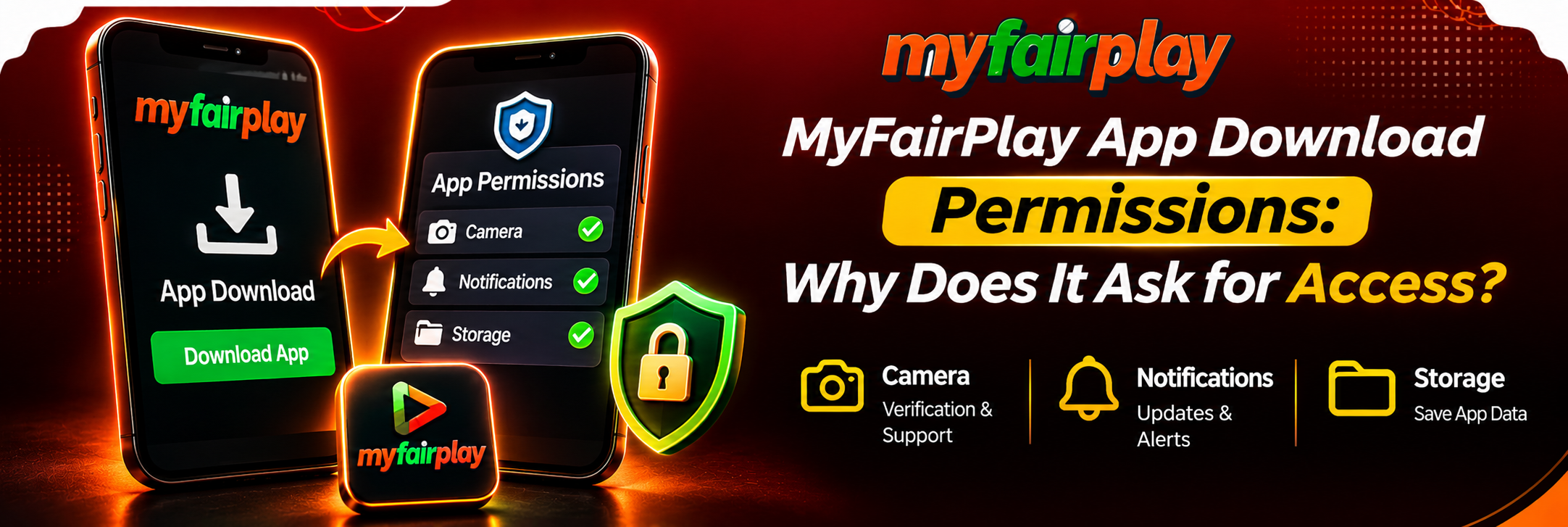
Directly downloading an Android application via a website can, in many cases, prompt the system when it comes to installing and using the application. It is common to see numerous individuals standing at such screens, questioning why apps ask for permissions in the first place. Enabling MyFairPlay app download permissions early assists you in viewing the requests that genuinely assist the feature and those that appear hazardous. Contemporary Android defines a distinction between basic setup access and sensitive runtime requests such as storage, camera, or location. Always make sure to check the source of the website, check every prompt before you install any file, and always be in control of your phone’s privacy. This guide demonstrates how to countercheck, evaluate and manage every request in a safe way.
What App Permissions Mean
Applications allowance operates like gates in Android that govern the instances that software accesses the data in the device or devices tools.
| Permission Level | When Granted | User Control | Examples |
| Install-time (Normal) | At setup | Cannot revoke alone | Internet access |
| Runtime (Dangerous) | During use | Allow, ask, or deny | Camera, location, contacts |
| Special access | System settings | Off by default | Install unknown apps |
The setup prompt of older Android 5.1 devices was sensitive, whereas Android 6.0 was much more divided, ensuring you verify app download permissions and leave all app permission safe.
Why MyFairplay May Request Access
An adult-only platform, began in 2017 in the offshore main office in Curaçao, with a 365/JAZ licence in India. It employs a 256-bit of the security of the SSL and adds that the user should verify the local gaming laws.
- Due to the prohibition of real-money betting applications on Google Play in most countries, the Myfair play app is installed by users through an APK.
- On the official pages, they express that authentic builds require an internet connection whilst reviewing app download permissions, including notifications of Android 13+.
- Android spins off private folders without storage dialogues; installation includes Install unknown apps (temporarily) to lock the private permission to each of the many apps.
Common Permission Types to Review
Assign MyFairPlay app download permission features with anticipated functions within the app prior to pressing Allow.
| Permission | Access Scope | Expected Use | Warning Sign |
| Storage | Files or photos | Photo Picker uploads | All-files access |
| Notifications | Device alerts | Android 13+ updates | Scam links |
| Camera | Photo lens | Verification if offered | Background camera |
| Microphone | Audio recording | Voice tools if offered | No audio tool |
| Location | Coarse/exact GPS | Region check if needed | All-the-time GPS |
| Contacts | Address book | Messaging apps only | Flagged unnecessary |
| Phone | Call status | Calling apps only | Unexplained prompt |
- When an app asks for storage permission, or an app asks for camera permission, select Photo Picker or While using.
- If an app asks for location permission, prefer approximate location rather than constant tracking.
- To keep each of the App permission safe, tap Don’t allow when an app asks for contacts permission or an app asks for phone permission.
How to Check App Download Permissions
These instructions will ensure that your app permission safe during setup, as well as that every app permission is safe after your initial setup.
- Before turning on Install unknown apps in Android 10+, make sure to check the domain.
- Have the built-in scanner on Android check the MyFairPlay APK.
- Tap the icon, then App info and finally Permissions.
- In Android 12, you can see a 24 hrs or 7-day log in the Security and privacy context.
- Check category access in Security and privacy > Privacy.
Are App’s Permissions Safe?
An instant is never safe, and thus an app permission safe choice follows clear context.
What Makes a App Permission Safe to Approve
- The apps make requests only on tapping a corresponding feature.
- Verified apps give justifications as to why it is necessary to have access before opening applications.
- Each app permission should be kept secure by declining contacts or messages.
- Sideloading Accessibility is even locked on Bitcoin on Android 13+ to maintain a safe APK.
- Referrals to clones that require bank passwords or OTPs are used to detect scams in app download permissions.
Is the MyFairPlay APK Safe to Download?
The issue of asking is app safe to download can be treated with seriousness since in 2025, according to a security blog written by Google, it found over 27 million malicious sideloaded apps in 2025, compared to 13 million in 2024.
| Safety Check | Official APK | Unverified Sites |
| Domain & SSL | Verified URL, 256-bit SSL | Typos or no HTTPS |
| Access scope | Basic internet access | Requests contacts or SMS |
| Malware shield | Built-in security stays on | 266M risky installs blocked |
| Compatibility | Android 7.0+, 100 MB free | Modified builds crash |
Four Checks to Keep Your MyFairplay APK Safe
- Only download from MyFairPlay and with reference to privacy and licence clauses.
- To keep your MyFairPlay APK, download the most recent one and work with it without altered files.
- Play Protect has 2.8 billion devices and serves 185 markets, and it blocked 872,000 high-risk apps.
- Don’t forget to check app download permissions early to keep all app permissions safe.
Manage or Revoke Permissions You Don’t Need
Once you have done with download, you can unauthorize surplus access at any time, but blocking a setting temporarily suspends a corresponding feature.
- Immediately after installation, switch off Install unknown apps.
- Select camera, mic or location as While using, Ask each time or Don’t allow.
- This is an option that should be turned on under App info Pause App activity.
- Make a APK safe install, update, and clean up app download permissions to maintain all app permissions safely.
Related Posts:
- MyFairPlay App Download for Android – Latest Version 2026
- MyFairPlay App Download for iOS: Is It Available on App Store?
- MyFairPlay APK Download: How to Install the App Without Play Store
Conclusion
Approving or declining such download permissions on the apps can be done in less than one minute and ensures privacy of data. By starting with official links, Play Protect analysis, and bare minimum permissions, it is possible to ensure that your MyFairPlay APK remains safe. Keep all apps permission safe by blocking contacts or messages and going through Privacy dashboard. Check setup instructions, privacy, and local laws before installing; visit MyFairPlay.
Frequently Asked Questions
Is a MyFairPlay APK Safe Outside the Google Play Store?
In most countries, Google Play blocks real-money gambling apps and does not distribute the Android versions. Always make sure that you maintain your APK by downloading.
Which Android Permissions Does the Genuine Installer Need?
The basic access required by genuine builds, according to MyFairPlay, includes internet. Deserves a mention during APK installation is you enable Install unknown apps to a good moment.
Can You Turn Off Unknown Sources After Installation?
Yes, security tips instruct you to turn off Install unknown apps after setup is complete. That prevents loading of additional APKs in the future.
Is a MyFairPlay APK Safe if Google Play Protect Shows a Warning?
Always ignore Play Protect warnings 26. On a daily basis, Play Protect scans approximately more than 350 billion apps, thus removing files perceived to be malicious and visiting the official site to safeguard your APK.
What Keeps a MyFairPlay App Permission Safe if You Deny Optional Access?
The suppression of notifications or location prevents those related features11. Use simple internet connectivity, keeping your phone confidential and blocking of contacts and messages.